Days 1-3: Tutorials, a Failed Mining Game, and Coming Back
Started with the Godot Your first 2D game tutorial.
Hmm.
“This step-by-step tutorial is intended for beginners…”
Yup, that’s me.
“…who followed the complete Step by Step guide”
Ope, I guess not. Fine then. Let’s check out the Step by Step guide.
Here’s what I picked up:
- Nodes are the building blocks. Dozens of types (sprites, cameras, collision shapes, whatever). They have properties, receive callbacks, can be children of other nodes.
- Scenes are trees of nodes with one root. Reusable, like a template or component. Save them as
.tscnfiles and instance them wherever. - GDScript is Python-ish. Indentation matters. Built-in functions start with
_like_ready()(node is loaded) and_process(delta)(runs every frame).
The mining game detour
I had this idea for a mining game, Motherload-style. Dig down, collect resources, come back up.
I didn’t get far. The collision logic and block placement stuff was giving me trouble. I’m just fighting the engine at this point. Took a break.
Coming back
Came back a few days later. Actually worked through Dodge the Creeps, the official Godot “your first 2D game” tutorial. Main things that stuck:
Signals are how nodes talk to each other. A node emits a signal when something happens, other nodes listen. Like events or observables. You can connect them in the editor UI or in code. Defining a custom signal is just:
signal health_depletedThese worry me a bit, seems like they could turn into an unmanageable mess without a good system.
Velocity normalization: if you set X and Y velocity independently for diagonal movement, your speed ends up at √2 instead of 1. velocity.normalized() * speed fixes it.
Some other things that clicked: @export var speed lets you expose variables to the editor UI so you can tweak without touching code. Collision layers and masks took a second. Layer is what category you’re on, Mask is what you scan for. So Player on Layer 1, enemies on Layer 2, set Player’s mask to Layer 2 and now it detects enemies.
Picked up a couple more things along the way:
$is a shorthand
$MySpriteNode.play()is shorthand forget_node("MySpriteNode").play()queue_free()deletes a node- Godot uses radians by default,
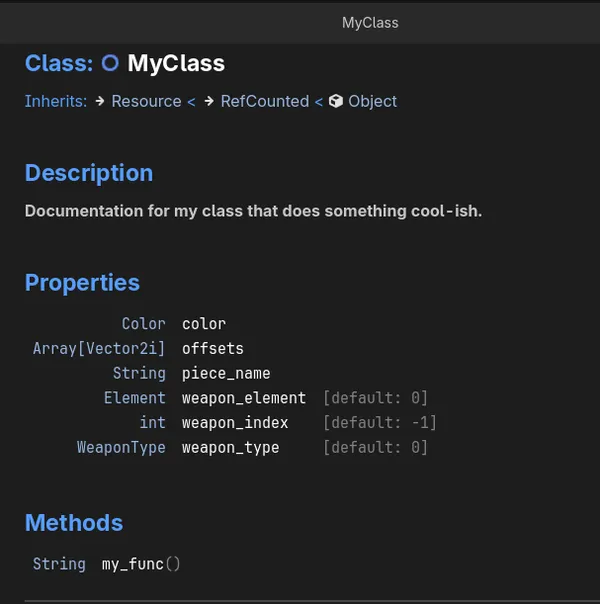
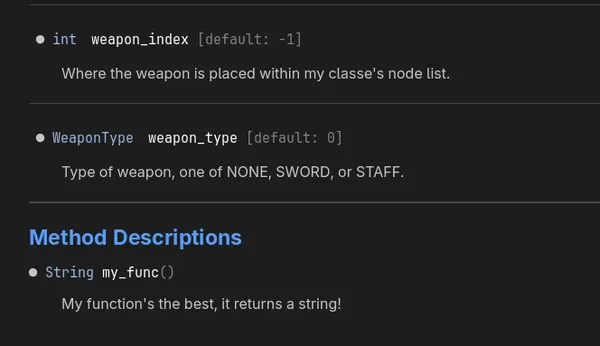
deg_to_rad()/rad_to_deg()can be used if you prefer degrees - 👉 Hover over any class name in the editor and Godot shows the definitions/docs for it, even for classes you wrote yourself. Click on the class name in the little popup (or F1 > search)! Add
##comments above your functions and properties to fill in the docs. See the documentation comments reference. Give this a try!
Got the tutorial working without huge issues, for the most part. Basically, everything’s a node, a node talks to other nodes, which have a collection of nodes as children, and you can instantiate and reuse nodes in other nodes. Nodes, nodes, nodes.
So far everything in Godot seems straightforward, nothing was particularly painful, seems…user friendly enough?